
Website Updates > 2026 Q3 Updates > Bringing Accessibility to DR Websites With UserWay
We just partnered with UserWay to heighten accessibility on your website. Below, we'll walk through what's changing, why we're offering it, what it costs, and how to get it added onto your website. This tool is an optional, paid-for upgrade where you will be billed monthly if you choose to add it on, and is available to Detailers Roadmap partners. See below for cost options.
UserWay: A quick Introduction
Detailers Roadmap is now offering an accessibility tool called UserWay that can be added to any website we've built for you. You may choose to add it onto your website at a cost, or you can just leave your website as is; basically meaning nothing changes on your site unless you tell us to turn it on.
WATCH CHRIS EXPLAIN IT
If you'd rather hear this explained than read it, Chris put together a short video covering UserWay and what it can do. Watch it below!
Why Website Accessibility Matters
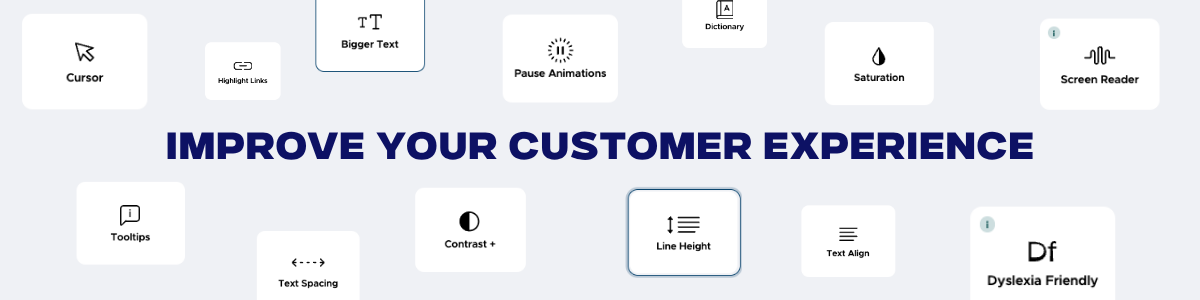
Most shop owners assume website accessibility is something only large corporations need to think about, but that's not the case.
Your website gets visited by all kinds of people, including some who are colorblind or blind, have low vision, have difficulty reading small text, or can't navigate using a mouse. For a lot of businesses, that's an entire segment of potential customers who quietly struggle with the site and leave without booking anything, not because your business isn't a good fit for them, but because the website itself created a barrier.
A site that's easier for them to use is a site that turns more of those visitors into phone calls and bookings instead of losing them before they ever get to your booking form.
What is UserWay?
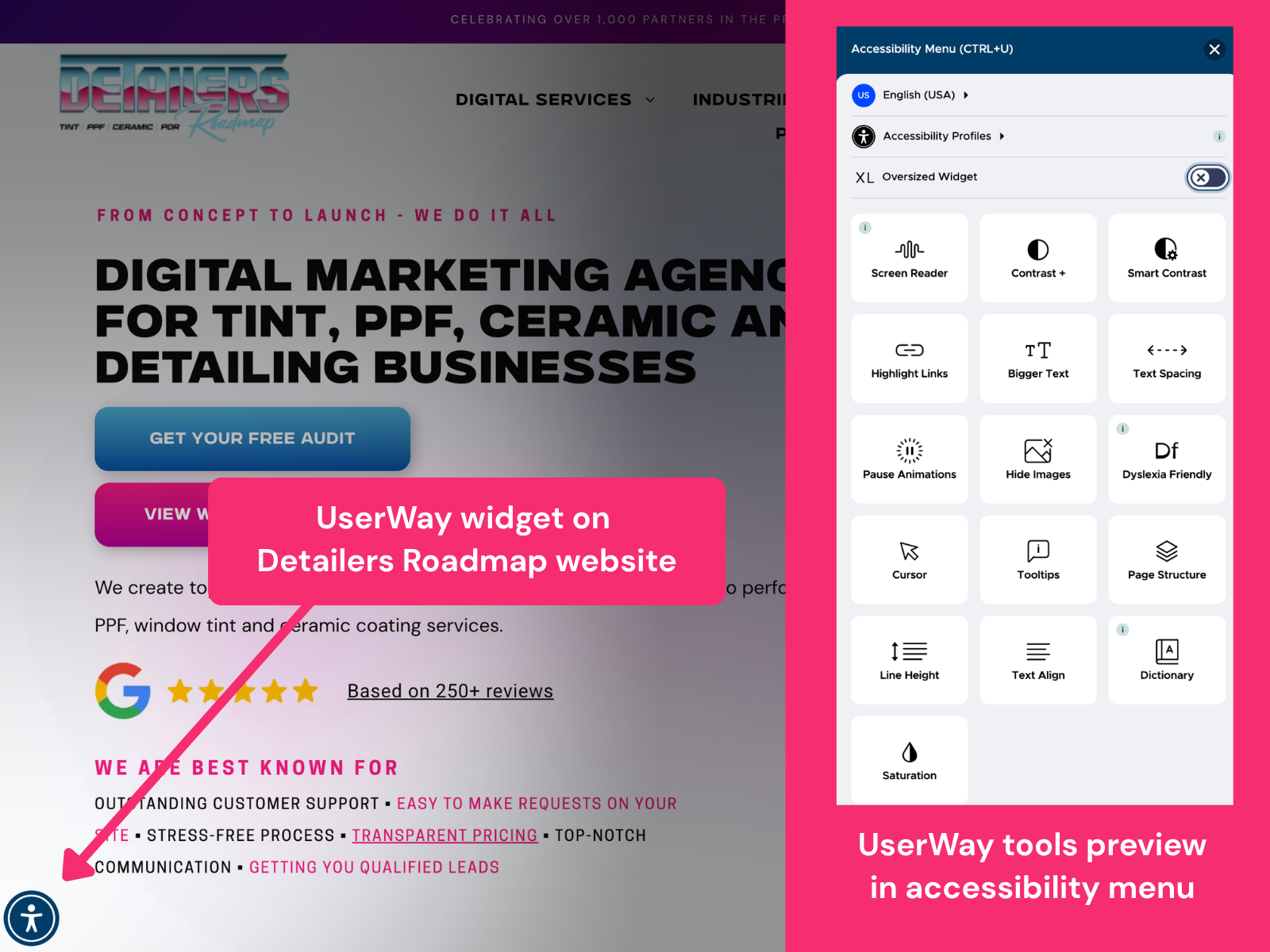
UserWay Widget on Detailers Roadmap Website
UserWay is an accessibility widget that gets added to your website. It does two things:
1. It gives visitors a tool menu of adjustments.
A small accessibility icon appears in the corner of the page. When a visitor clicks it, a panel opens with various they can turn on based on how they browse, including:
- Larger text
- Higher contrast
- A bigger cursor
- Read-aloud functionality
- Pausing animations
- Dyslexia-friendly fonts
- Full keyboard navigation
- And many more functions.
Visitors pick whatever helps them, and the site
remembers their preference while they browse throughout your website.
2. It quietly cleans up the page in the background.
UserWay's AI also scans your site and automatically fixes common accessibility issues, like adding text descriptions to images so a screen reader can announce what's in them. This happens automatically, without the visitor needing to do anything.
You can see the widget in action right now. Just visit
detailersroadmap.com and look for the blue and white icon in the bottom left-hand corner of the page.
WHY WE'RE OFFERING USERWAY
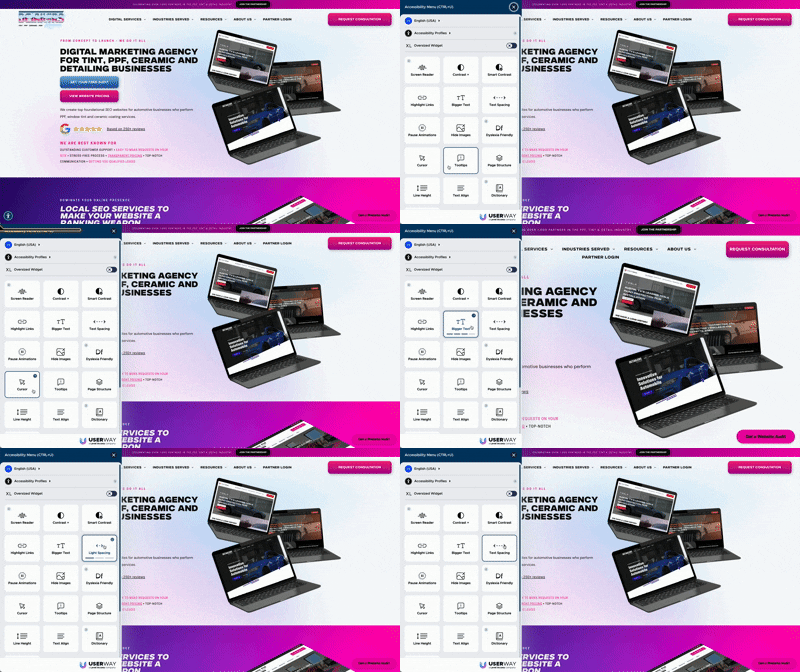
Where to Find & How To Use The UserWay Widget (Shown on Detailers Roadmap Website)
It makes your website easier for more potential customers to use. More people can comfortably browse your site, read your service list, and get in touch, instead of bouncing off a site that wasn't built with them in mind.
It's a visible sign of good faith. That small icon tells every visitor your business thought about accessibility for everyone, not just some people. It's a small, visible trust signal.
What It Costs
UserWay is available at two pricing tiers, based on how much traffic your site gets. Both tiers include the same core accessibility engine, but the main difference is the amount of traffic your pages get.
Starter Plan:
$39.99/mo
- Up to 10,000 monthly page views
- Full suite of AI-powered accessibility functions
- Continuous real-time accessibility monitoring
- Fully customizable
- Evergreen, always-on cloud updates
- Accessibility statement
Plus Plan:
$89.99/mo
- Over 10,000 monthly page views
- Full suite of AI-powered accessibility functions
- Continuous real-time accessibility monitoring
- Fully customizable
- Evergreen, always-on cloud updates
- Accessibility statement
An Important Notice
We want to be straightforward and honest, no accessibility tool, including UserWay, can guarantee full legal compliance or guarantee you'll never receive a complaint. This isn't legal advice, and UserWay doesn't replace legal counsel. However, UserWay, or any accessibility tool, is a real, meaningful step toward recognized accessibility standards, and a genuine improvement to how visitors with disabilities experience your site.
If you have specific compliance concerns, we'd recommend talking with a qualified attorney.
We wanted to offer UserWay as a tool for our partners to have so you can better serve anyone who comes upon your website.
How to Add This Tool To Your Site
If you are interested in getting UserWay added to your website as a service, please reach out to our team at
support@8bitcreative.com, and we will send you an email to (1) click and choose which plan you would like, and (2) pay the invoice, which will notify us to start the process for your chosen plan.
We will then handle the rest by adding the tool to your website. No action is needed on your end beyond your decision.
If you wish not to have this service, there is no further steps needed from you, and it will
not be automatically added to your website or bill.
If you have any questions or would like further clarification on this too, please reach out to
support@8bitcreative.com. We're happy to answer any questions you may have.
Want to see our other option, paid-for website updates that we have available for DR Partners?
Our full list of Optional Upgrades is on our
Website Updates
page.