A clean render of a freshly wrapped sports car can make a flyer pop, stop the scroll on Instagram, or give your homepage instant polish. With AI image tools, getting one feels easier than ever. Grab a picture you like, run it through a generator, tweak the colors, and you have something that looks brand new.
Here's the catch: looking new isn't the same as being yours to use.
Many detailing shop owners assume that an image pulled from Google and remixed with AI, or a render labeled "free," is automatically safe for business marketing. Neither assumption holds up reliably. The fallout can include takedown notices, demand letters asking for licensing fees, or pulling and reprinting marketing materials you already paid for.
This guide breaks down where the risk actually comes from, what to check before you use AI-generated car renders, and how to build a simple habit that protects your shop.
Why Image Licensing Matters
for Detailing Businesses
Almost everything you post as a business counts as commercial use. Your website, Google Business Profile, social media posts, paid ads, flyers, pamphlets, and vehicle wraps all work to promote your shop and attract customers. That's where image rights matter most.
Photographers, designers, and render artists own the copyright to their work the moment they create it. They don't need to register it or add a watermark for that protection to exist. Using their work without permission can constitute infringement, even if you didn't know who made it or where it came from. Many creators and stock agencies also use reverse image search and automated scanning services to find unlicensed copies online, so "nobody will notice" isn't a safe bet.
Running an Image Through AI Doesn't Make It Yours
This is the most common misconception we see. The thinking goes: if I take a render I found online and have AI change it, the result is a new image. Unfortunately, it's not that simple.
The Original Creator's Rights Don't Disappear
When you upload someone else's image and ask an AI tool to change the background, swap the paint color, or restyle it, the output can still be based on the original work. Copyright law generally gives creators control over adaptations of their work, not just exact copies. The AI didn't erase the original; it edited it. If the composition, angle, lighting, or design still traces back to someone else's render, their rights may still apply.
There's also no magic number of changes that makes an image safe. Rules of thumb you may have heard, like changing a certain percentage of an image, aren't a legal standard.
Watch for Trademarks in the Frame
Copyright isn't the only concern. Vehicle badges, grille emblems, and film or coating manufacturer logos are trademarks. AI tools sometimes reproduce these logos or create distorted versions of them. Using a brand's logo in a way that suggests a partnership or endorsement you don't have can create problems of its own. If you're a certified installer for a manufacturer, their program may have specific rules for how you can use their name and logo, so follow those guidelines.
"Licensed" and "Free" Don't Meant Every Use
Even when you start with an image that's properly licensed or listed as free, the license only covers what its terms say it covers. Two images can both be "licensed" and come with completely different permissions.
Common Limits Hidden in the Terms
- Personal use only: fine for a phone wallpaper, not for your shop's marketing.
- Editorial use only: allowed for news or commentary, but not for advertising or promotion.
- Attribution required: you must credit the creator in a specific way, and skipping it can void your permission.
- Print limits: some standard licenses cap how many copies you can print, which matters for flyers and pamphlets.
- No use in logos or trademarks: many licenses prohibit building your branding around a licensed image.
- No merchandise for resale: putting an image on shirts, hats, or stickers you sell often requires an extended license.
- Single user or single business: a license bought by one company may not transfer to another, even a sister shop.
A Simple Checklist Before You Use Any Render
Before a render goes on your website, social media, or anything you print, run through these steps:
- Know the original source. Where did this image or render first come from? If you can't answer that question, don't use it.
- Read the terms for your exact use. A license that covers your website may not cover a printed pamphlet or a paid social ad. Match the license to where the image is going.
- Check the fine print. Look for attribution requirements, print limits, plan level requirements, and restrictions on logos or resale.
- Don't feed other people's images into AI tools. Start from photos you took yourself, images licensed for editing, or text prompts that specifically state not to pull references from online renderings.
- Scan the frame for logos and badges. Remove or avoid brand marks you don't have permission to use.
- Save your proof. Keep a screenshot of the license, the receipt, the date, the source link, and any written permission in one folder. If a question ever comes up, this record is your best friend.
- When in doubt, get permission in writing or choose another image. A quick email to the creator costs far less than a demand letter.
Using Renders The Safe Way With Detailers Roadmap
The simplest way to avoid licensing headaches is to use renders that were created for your use from the start. Detailers Roadmap partners have access to a library of renders you can use across your marketing. You can see what's currently available on our
2026 PPF renders page.
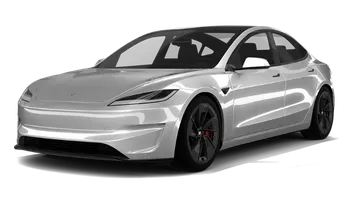
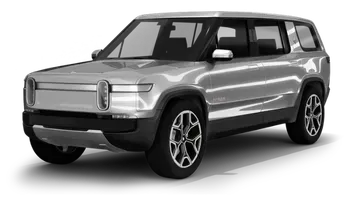
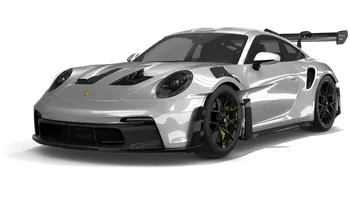


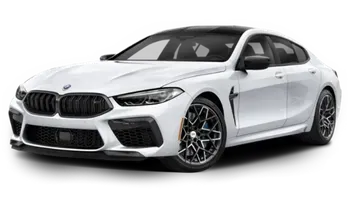
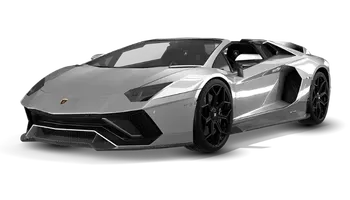
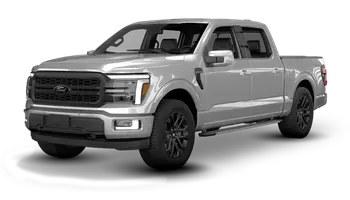
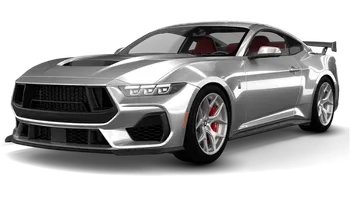

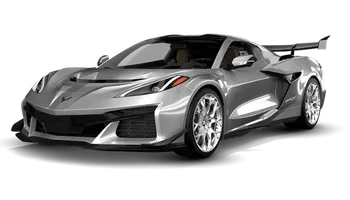
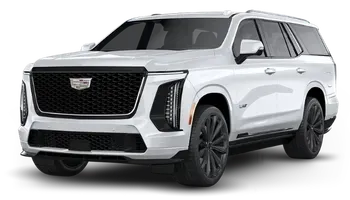
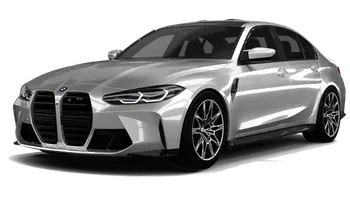
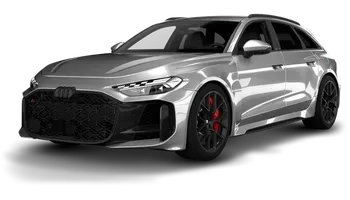

Already have custom renders made for your shop? Great. If you'd like them added to your website, please send us the licensing permission or written agreement from the creator so we can keep it on file.
How to Request Renders or Submit Licensing Permission
- Browse the renders available to Detailers Roadmap partners on our 2026 PPF renders page.
- Log in to the DR portal at https://www.detailersroadmap.com/account-center and drop a comment on your site, or email our team at support@8bitcreative.com.
- Let us know which renders you'd like to use and where you plan to use them (website, social media, flyers, or print).
- If you're submitting your own custom renders, attach the license or written permission from the creator, along with the creator's name, so we can keep it on file before anything goes live.
An Important Note
This article is for general information only and isn't legal advice. Copyright and licensing rules depend on the specific situation, and they continue to evolve as courts and agencies address AI. If you have specific concerns about an image or a notice you've received, we'd recommend speaking with a qualified attorney.
Frequently Asked QuestionS
The Bottom Line
AI makes it easy to create eye-catching car renders, but it doesn't change who owns the images you start with, and a "licensed" or "free" label doesn't cover every possible use. Know where your images come from, read the terms for how you plan to use them, and keep a record of your permissions.
Want renders you can use with confidence? Browse our available renders or reach out to our team at support@8bitcreative.com to talk through your options.

